 Capturite
Capture it.
Read it. Record it.
Capturite takes screenshots, recognizes text and records your screen — all from a single toolbar on your Mac.
Coming soon to the Mac App Store
macOS 26 or later on a Mac with Apple silicon
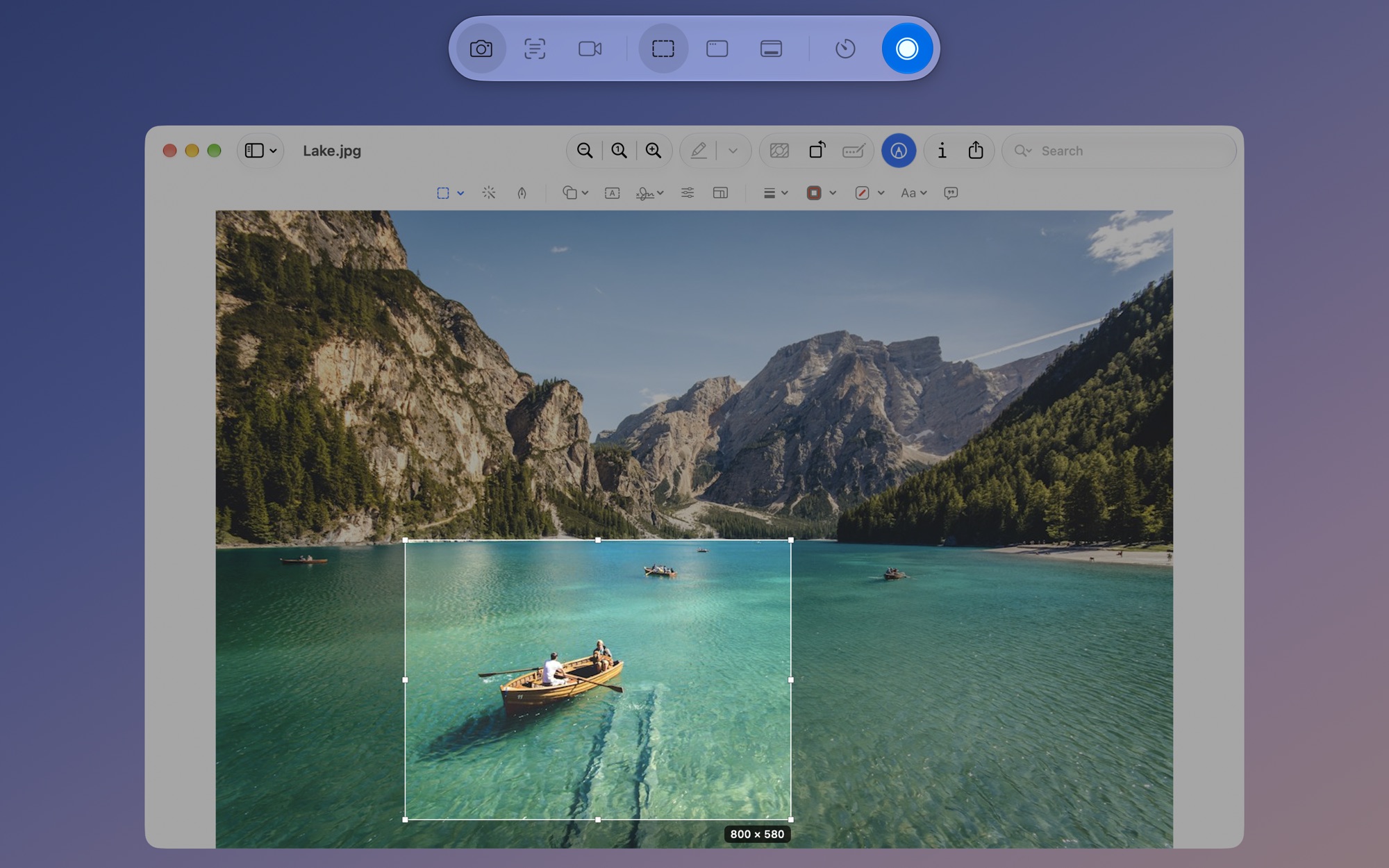
One toolbar to capture, read and record
Screenshots
Capture an area, a window or the full screen, then copy and save it.
Text recognition
Copy the text and QR codes on screen as plain text.
Screen recording
Record as MP4 with system audio and your microphone. GIF export, too.
Snapping
When you select an area, the frame snaps to the edges of photos, buttons and windows.
Whole windows
Capture the window you pick in full, even when other windows overlap it.
Save Recent Video
Save what just happened as an MP4, even if you weren’t recording.
Timer
Capture after 3, 5 or 10 seconds — handy for open menus.
Capture again
Capture the same area or window again without selecting it.
Presets
Save the capture settings you use most under a name and call them up.
Everything stays on your Mac
Capturing, recognition and recording happen only on your Mac. Nothing you capture is sent anywhere.
Try it, then buy once
Download for free and try every feature for 14 days. To keep using it, buy once — no subscription.
Capturite
Coming soon to the Mac App Store
macOS 26 or later on a Mac with Apple silicon